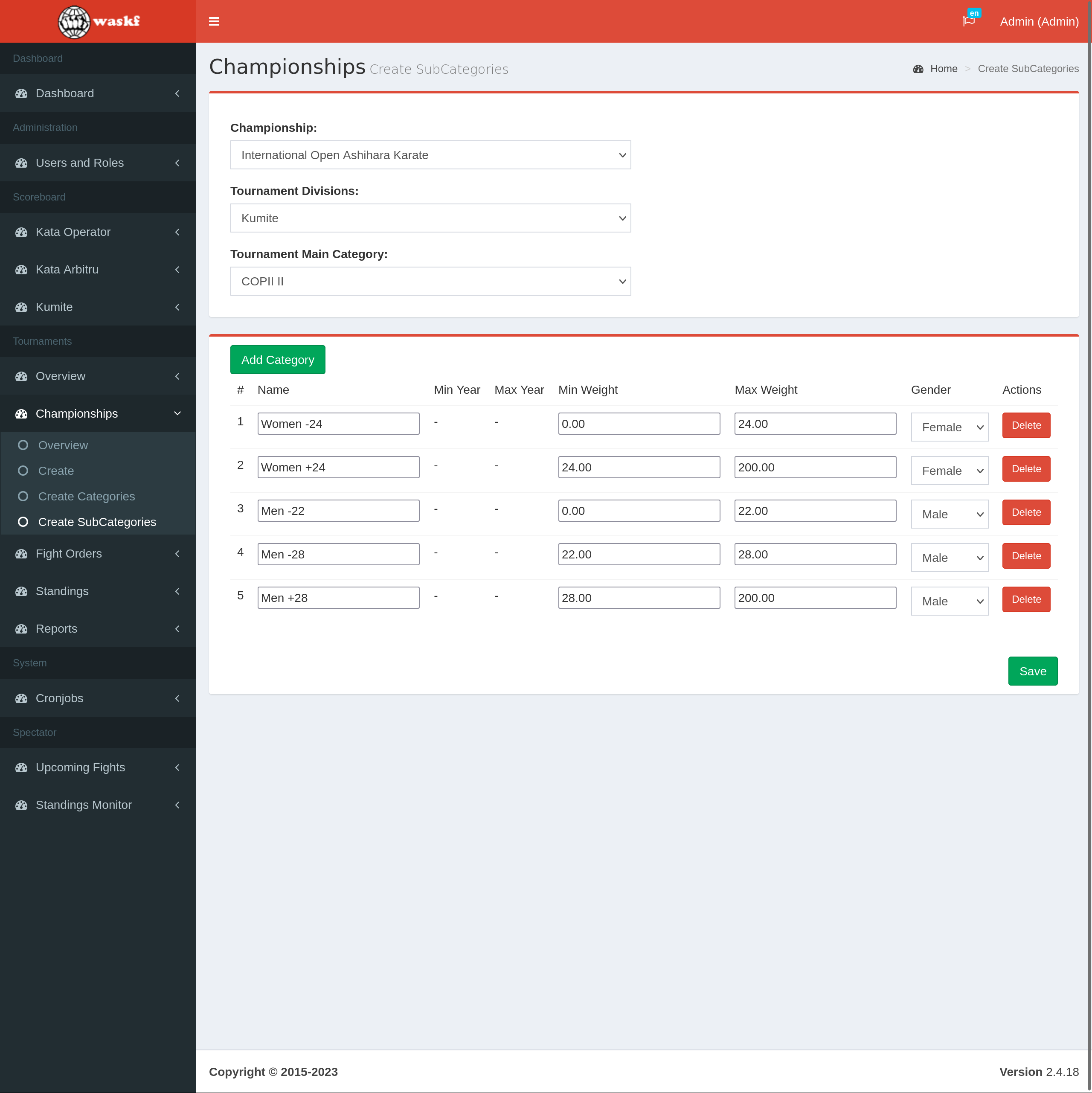
SubCategory Setup
SubCategory Management
By following these steps, administrators can effectively manage user approval within the Ashihara Karate Scoreboard software. This streamlined process ensures that only authorized users with the appropriate privileges gain access to the system. Through the user and roles management menu, administrators can easily locate specific users, modify their status, and approve their access.
- Log in to your account as the administrator.
- Navigate to the Scoreboard section in the application.
- Once the Scoreboard is loaded, access the Championships menu and select the "Create SubCategories" submenu.
- Select the specific Championship and Tournament.
- A blank list of subcategories will be presented.
- Click the "Add category" button to begin adding categories.
- Fill in all the necessary details for each subcategory using the provided input fields.
- Click the "Save" button to preserve the changes and store the created categories.