User Approval
User management
By following these steps, administrators can effectively manage user approval within the Ashihara Karate Scoreboard software. This streamlined process ensures that only authorized users with the appropriate privileges gain access to the system. Through the user and roles management menu, administrators can easily locate specific users, modify their status, and approve their access.
- Log in to your account as the administrator.
- Navigate to the Scoreboard section in the application.
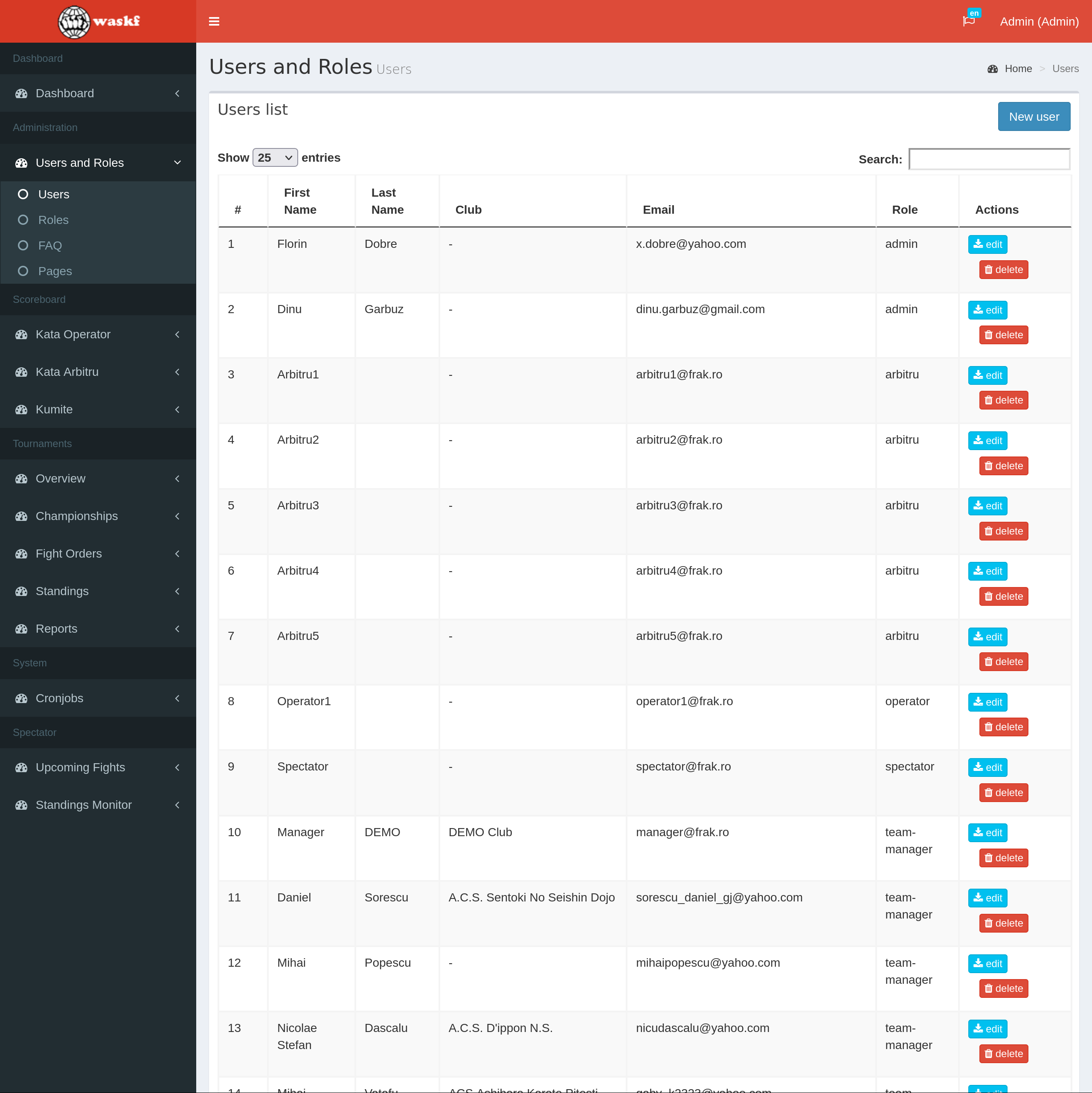
- Once the Scoreboard is loaded, access the User and Roles menu and select the "Users" submenu.
- A comprehensive list of system users will be displayed.
- Locate the user you wish to approve and click on the Edit button next to their details.
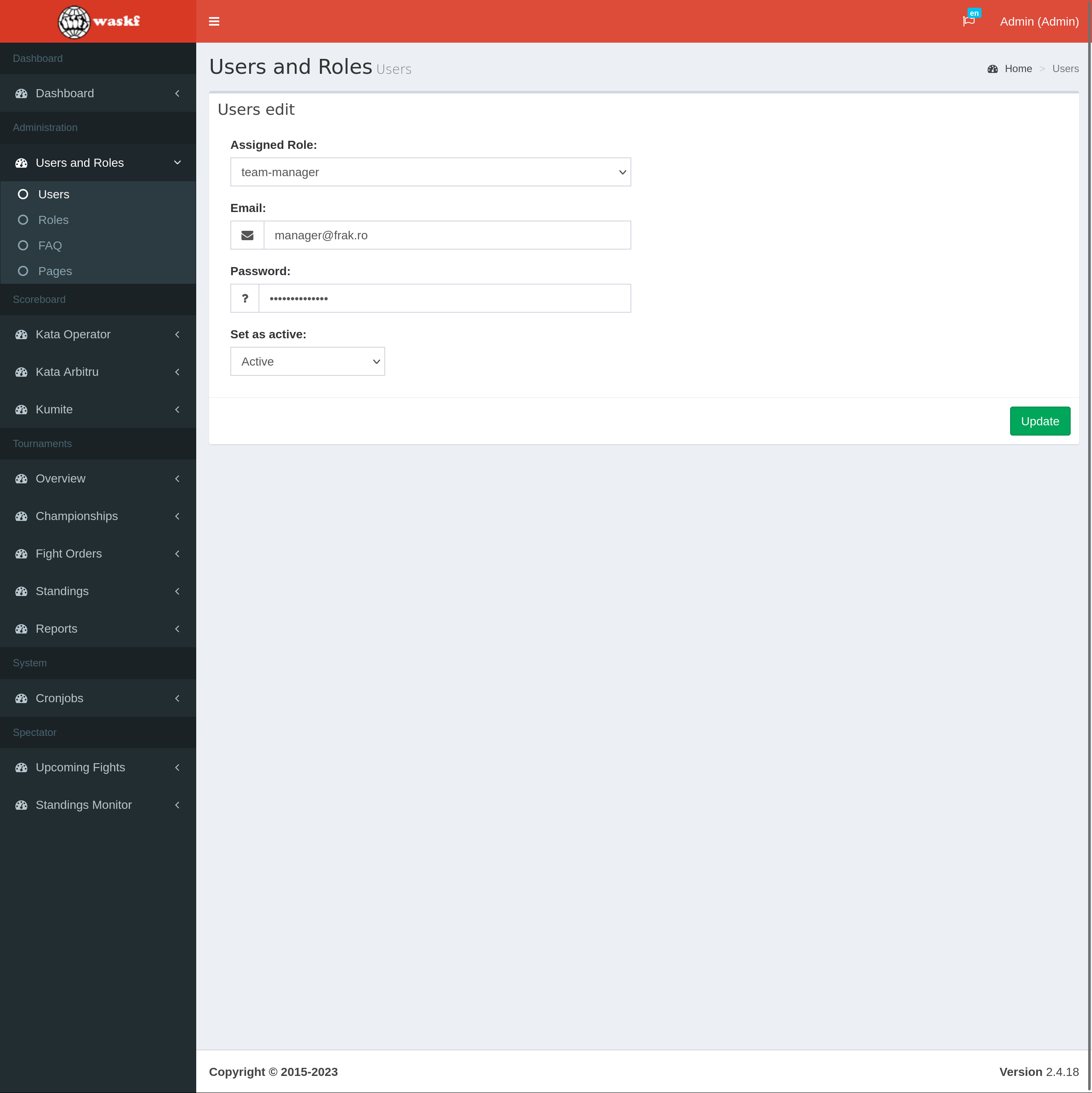
- A page containing the user's information will appear, allowing you to modify their status.
- From the dropdown list, select the "Active" status to approve the user.
- Click the Update button to save the changes.
Once a user has been approved, they gain the privilege to log in to the Registration module. With this access, approved users can efficiently register competitors for tournaments.