Category Setup
Category Management
As an administrator, follow these steps to effortlessly establish and customize tournament categories according to your competition requirements.
- Log in to your account as the administrator.
- Navigate to the Scoreboard section in the application.
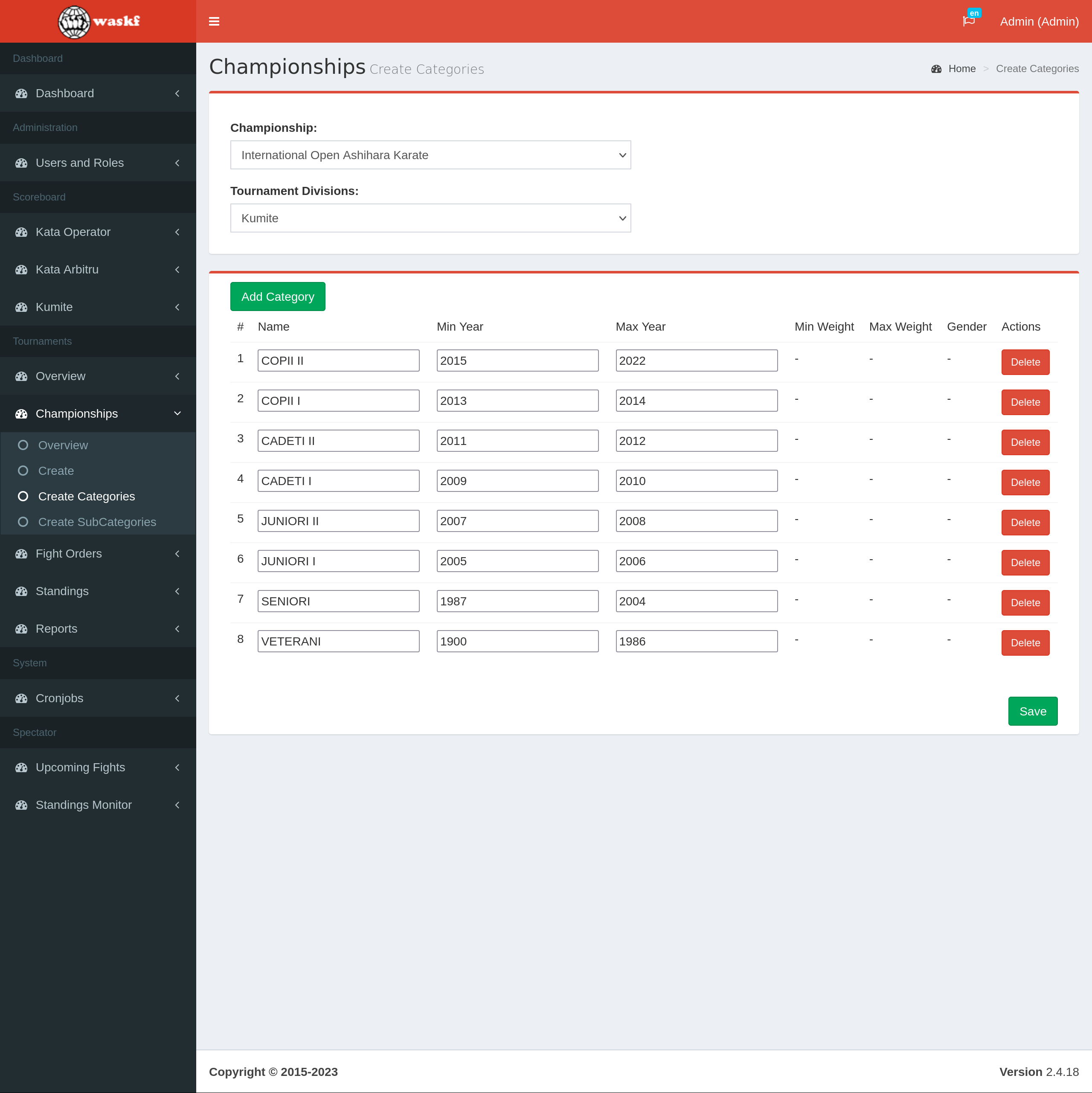
- Once the Scoreboard is loaded, access the Championships menu and select the "Create Categories" submenu.
- Select the desired Championship.
- A blank list of categories will be presented.
- Click the "Add category" button to begin adding categories.
- Fill in all the necessary details for each category using the provided input fields.
- Click the "Save" button to preserve the changes and store the created categories.
Once categories have been saved, sub-categories must be created.